

The honeymoon phase is over. In 2024, we were impressed if an AI could autocomplete a for loop. In 2025, we marveled at agents that could fix simple bugs. But now, in early 2026, the bar has arguably smashed through the ceiling. We are no longer looking for “assistants.” We are hiring “artificial colleagues.”
The market has brutally consolidated around two distinct philosophies, two monolithic architectures, and two warring tribes. In the red corner, we have Cursor, the polished, incumbent champion that taught us what an AI-native IDE could be. In the blue corner, we have Google Antigravity, the deep-tech challenger that is less of an editor and more of a sentient operating system for code.
This is not a listicle. This is not a “top 5 tools” regurgitation. This is a forensic analysis of the two tools that are currently defining the future of software engineering. We are going to tear them apart — layer by layer, model by model, dollar by dollar — to answer the only question that matters:
Which one significantly amplifies your output?
The Contenders: A Tale of Two Philosophies
Before we talk about token limits or latency, you need to understand the DNA of these tools.
Cursor: The Codebase Whisperer
Cursor (founded 2022) started as a fork of VS Code and evolved into a highly specialized instrument. Its philosophy is “Augmented Human Intelligence.” Cursor doesn’t want to replace you; it wants to make you faster, smarter, and typo-free. It treats the codebase as a searchable, vector-indexed knowledge base, and it excels at “context stuffing” — knowing exactly which 50 files are relevant to your current 3-line change.
The Vibe: It feels like driving a Tesla. It’s sleek, fast, opinionated, and most of the time, it just works.
Antigravity: The Agentic Brain
Antigravity (launched late 2025) is Google DeepMind’s answer to the question: “What if the IDE was an agent?” Its philosophy is “Delegated Autonomy.” Antigravity is built to take a high-level instruction — “Refactor the authentication middleware to support generic OIDC providers” — and go off into a corner to figure it out, plan it, execute it, and verify it as a distinct entity.
The Vibe: It feels like managing a junior engineer who has instant access to Google’s entire knowledge graph but occasionally needs you to grab the steering wheel before driving off a cliff.
Deep Technical Architecture: Under the Hood
This is where the marketing fluff dies and the engineering reality begins. How do these tools actually know your code?
Cursor’s Merkle Tree & Semantic Indexing
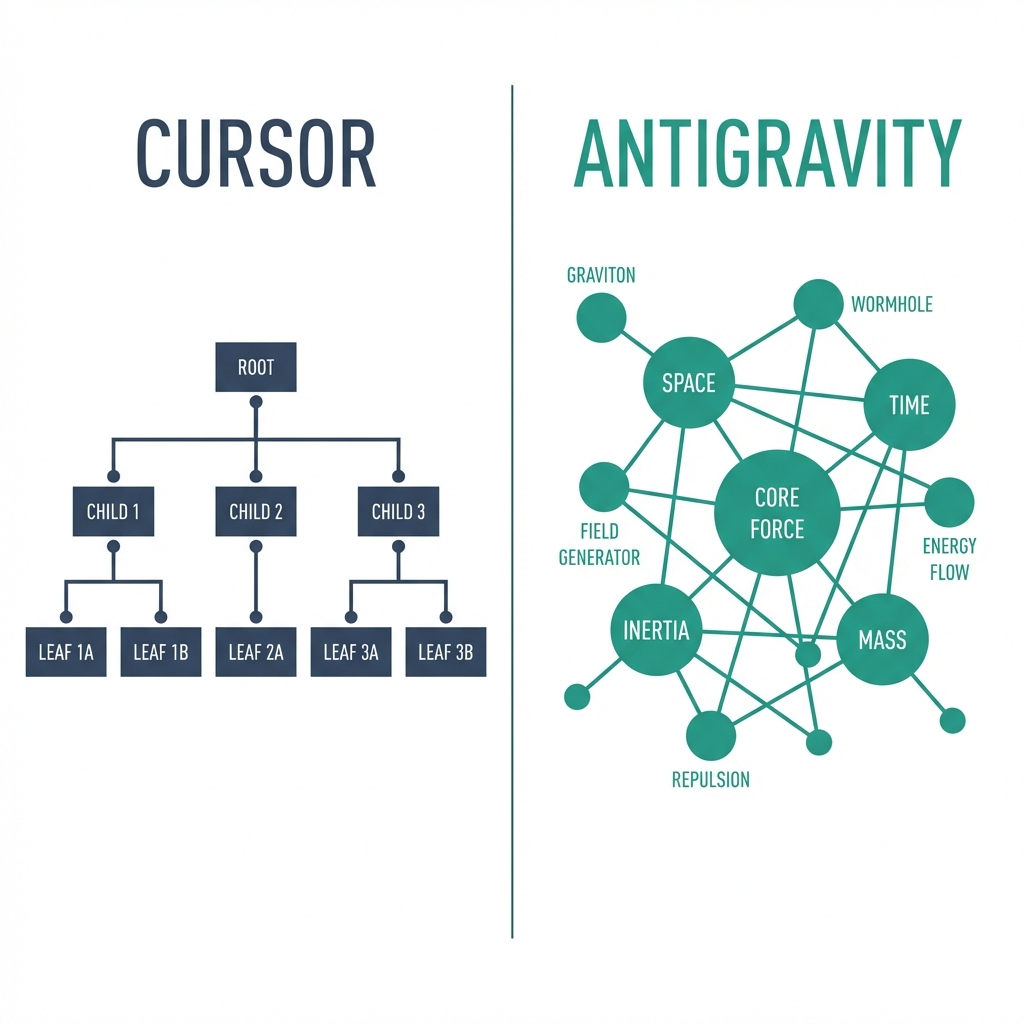
Cursor’s secret sauce has always been its indexing. When you open a repo, Cursor builds a Merkle tree representation of your file system.
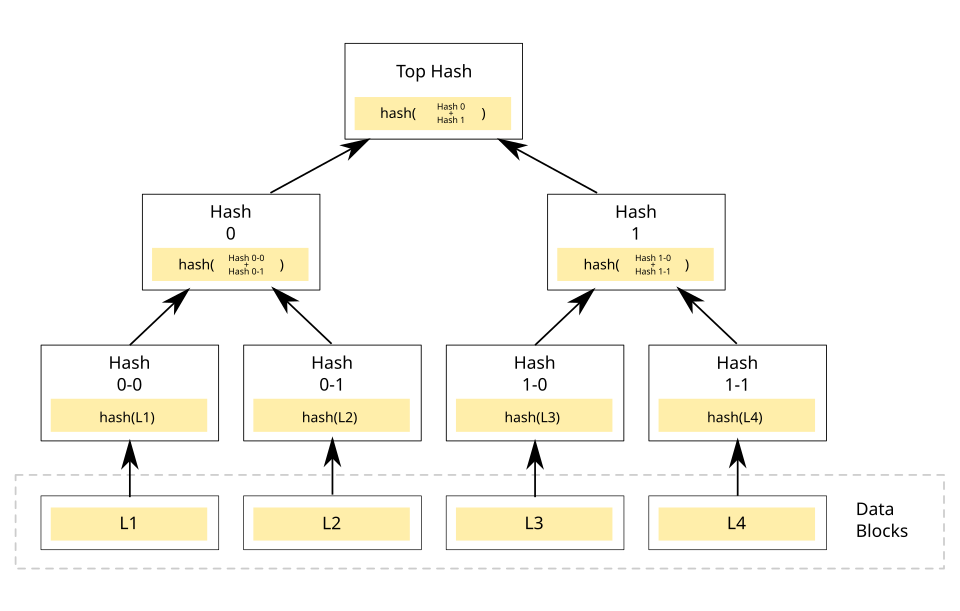
Why Merkle Trees? They allow for incredibly fast syncing. If you change one line in utils.py, Cursor doesn’t re-index your whole project; it simply invalidates the hash for that file and bubbles the change up the tree. This makes its semantic search (CMD+L) lightning fast.
Shadow Workspace: Cursor maintains a “shadow” version of your workspace in its cloud (or locally, depending on settings) to run linting and speculative edits without messing up your actual files until you hit “Apply.”
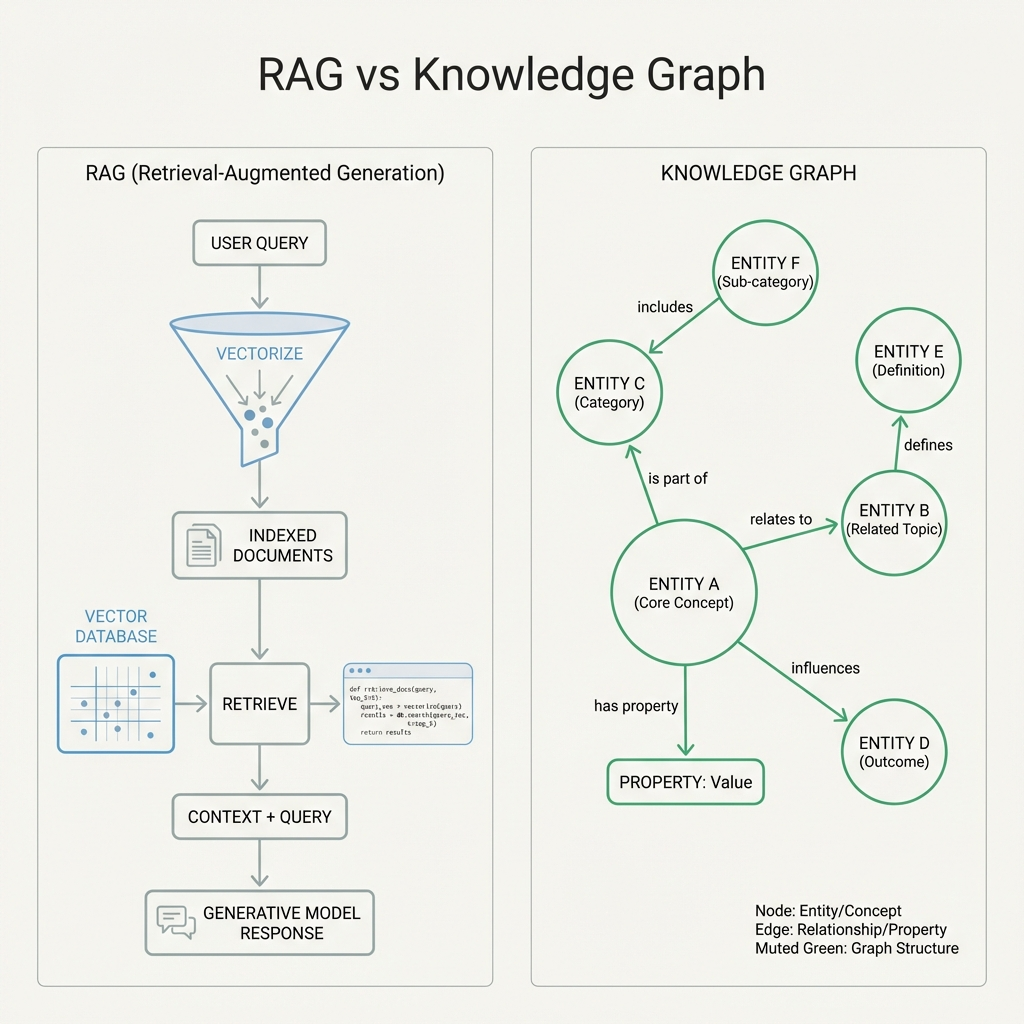
The RAG Pipeline: Cursor uses a sophisticated Retrieval Augmented Generation (RAG) system. It chunks your files into embedding vectors and performs cosine similarity searches to find relevant snippets. This keeps it fast despite limited token windows. This approach allows for the kind of precision seen in modern context engineering techniques.
Antigravity’s Vector-Graph Hybrid (The “Cortex”)
Antigravity takes a heavier approach. It doesn’t just index text; it builds a knowledge graph that connecting symbols, functions, and logic flows. It combines this with a massive vector store (using Google’s Spanner-based vector search).
* The Artifact System: Unlike Cursor, which thinks in terms of “diffs,” Antigravity thinks in terms of “artifacts.” When it generates a plan, it writes a physical implementation_plan.md file into a hidden .gemini directory. This isn’t just metadata; it’s a real file that the agent reads and updates.
* Stateful Memory: Antigravity maintains a persistent “memory” of your project across sessions. Use the @memory directive, and it recalls that you prefer functional programming styles or that your team bans the use of lodash.
Winner: Cursor for speed and responsiveness. Antigravity for deep, structural understanding of massive monoliths.
—
Models & Brains: The Silicon Showdown
An IDE is only as smart as the model driving it. In 2026, the model landscape is fierce.
Cursor: The Claude Opus 4.5 Stronghold
Cursor has bet the farm on Anthropic.
Primary Driver: Claude Opus 4.5. This model is the current king of coding benchmarks (80.9% on SWE-Bench Verified). It is eerily good at reasoning, and the Cursor 2.3 update (January ’26) allows it to self-correct using the new “Auto-Judge” system.
The “Composer” Model: Cursor doesn’t just raw-dog the API. They use a proprietary fine-tuned model called Composer that sits between you and Claude. Composer is trained specifically to edit code. It understands diff formats, indentation, and file structures better than the raw base model. This is why Cursor’s “Apply” button is so much more reliable than copy-pasting from ChatGPT.
Speed: Claude Sonnet 4.5 is available for lighter tasks. Recent speed tests confirm it is blazingly fast while maintaining high accuracy for routine tasks.
Antigravity: The Gemini 3 Pro Powerhouse
Antigravity is the flagship vessel for Google’s Gemini 3 Pro.
Context Window: The headline feature is the 2 Million Token Context Window. You can dump entire libraries, documentation PDFs, and log files into the chat, and it just absorbs* them.
Multimodality: Antigravity acts like a vision-native tool. You can drag in a screenshot of your broken UI, and it will diff the visual pixels against your CSS code. It’s black magic.
Reasoning Models: For complex refactors, it taps into Gemini 3 Ultra, which uses “Chain of Thought” processing similar to OpenAI’s o3.
Winner: Antigravity for context size (2M is unbeatable). Cursor for pure coding logic density (Claude still feels slightly more “senior engineer”).
Agentic Behavior: “Go Do This For Me”
This is the frontier. We’re moving from “Autocomplete” to “Auto-complete-my-ticket.”
Antigravity’s Skill System
This is Antigravity’s killer feature. It uses a file-based skill system.
SKILL.md: You can define custom behaviors in markdown files. Want to teach the agent how to deploy to your specific weird AWS setup? Write a SKILL.md with instructions. Antigravity reads this and learns* the new capability instantly.
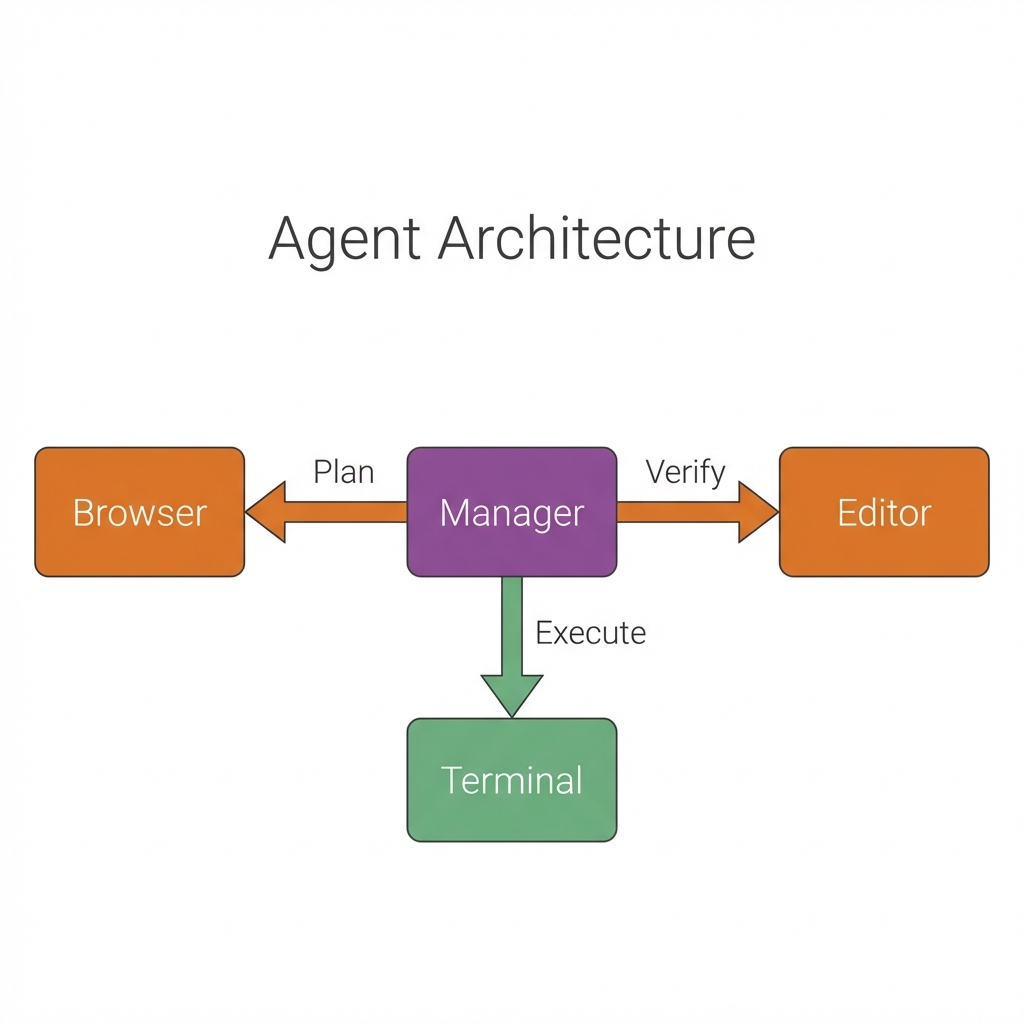
Task Boundaries: Antigravity operates in “Tasks.” You don’t just chat; you start a task. “Refactor the Login Flow.” It creates a task.md, tracks its progress, checks off items, and reports back. It feels like a project manager built into the IDE.
Browser Control: Antigravity includes a headless browser tool. It can launch a browser, click buttons, log in to your app, and reproduce a bug itself. This is wild. It’s effectively an automated QA engineer.
Cursor’s “Composer” & Agent Mode
Cursor’s response is Composer.
Multi-File Edits: You hit CMD+I (Composer), type “Move all types to a separate file and update imports,” and it executes. It opens 20 tabs, makes the edits, and presents them for review.
Multi-Agent Judging: Cursor 2.2’s breakout feature was “Parallel Agents.” You don’t just get one opinion; eight agents spin up in background worktrees, try different refactor strategies, and a “Judge” agent picks the winner. It’s like having a team meeting in 5 seconds.
Limitations: Cursor feels more like a super-powered wizard than an autonomous employee. It waits for you. It relies on you to hit “Accept.” It doesn’t have the same “autonomous loop” feeling that Antigravity has.
Winner: Antigravity. Its ability to browse the web, read docs, and manage its own task list makes it a true agent. Cursor is still a (very good) tool.
Rate Limits & Pricing: The Boring But Critical Stuff
The Hidden Gotcha: Antigravity is part of the “Google AI” subscription ecosystem. You live and die by Google’s quota. Cursor has reintroduced strict tiering to manage the massive compute costs of “Agent Mode.”
The Hidden Gotcha: Antigravity is part of the “Google AI” subscription ecosystem. You live and die by Google’s quota. Cursor has reintroduced strict tiering to manage the massive compute costs of “Agent Mode.”
The 2026 Pricing Matrix
| Tier Level | Cursor | Antigravity (Google AI) |
|---|---|---|
| Entry | $20/mo (Pro) Unlimited Tab, Premium Models | ~$20/mo (Pro) Antigravity Agent, Gemini 3 Pro |
| Power | $60/mo (Pro+) 3x Usage, Higher Agent Limits | No direct equivalent |
| Ultra | $200/mo (Ultra) 20x Usage, Early Access | ~$249.90/mo (Ultra) Deep Think, Massive Cloud Credits |
The Strategy:
Cursor’s Secret Weapon: The $60/mo Pro+ plan. This is the sweet spot for professional freelancers who need more than the basic limits but aren’t ready to drop $200. Google has a massive gap here.
The Ultra Wars: At the high end, it’s a battle of distinct values. Cursor Ultra ($200) gives you raw volume (20x usages). Google AI Ultra (~$290) gives you capabilities* (Deep Think, Video AI) and cloud infrastructure.
Winner: Cursor for the flexible $60 middle-ground. Google AI Pro for the entry-level bundle value.
The Code Production Workflow: How They “Go Forward”
How does the rubber actually meet the road?
The Cursor Flow: “Iterative Refinement”
1. Code: You type some code. Is the copilot ghost text good? Tab.
2. Cmd+K: You highlight a block. “Make this more robust.” It diffs in place.
3. Cmd+L: You ask a question about the repo. “Where is the auth logic?” It answers.
4. Composer: You ask for a feature. It generates code across 3 files. You tab-tab-tab through the diffs to verify.
It is a tight, fast loop. You are the conductor; Cursor is the orchestra.
The Antigravity Flow: “Plan, Execute, Verify”
1. Task Start: You type “Implement the new billing dashboard” in the Agent Manager.
2. Planning: Antigravity reads your codebase and writes an implementation_plan.md. It asks: “I plan to create 3 new components and a service. Proceed?”
3. Execution: You say “Go.” It works for 2 minutes. It creates files. It runs terminal commands. It installs dependencies.
4. Verification: It runs npm test. If it fails, it reads the error, edits the file, and runs it again.
5. Review: It pings you. “Done. Here is the walkthrough.md of what I did.”
It is a supervisory loop. You are the architect; Antigravity is the contractor.
Feature Showdown: The “Killer Apps”
Cursor’s “.cursorrules”
This is a standard file you drop in your repo root. You tell Cursor: “Always use TypeScript interfaces, never types. Use Tailwind. Prefer functional components.”
* Why it rules: Every prompt preamble is handled automatically. It aligns the AI to your team’s style guide instantly.
* Antigravity equivalent: It has “Memories” and SKILL.md, but .cursorrules is simple, portable, and practically an industry standard now.
Cursor’s “BugBot” (The Silent Reviewer)
This is a background agent that wakes up whenever you run a build command or open a PR. It doesn’t just look for syntax errors; it looks for logic flaws.
Why it rules: It silently catches “off-by-one” errors and “null pointer exceptions” before you even commit. It feels like having a senior engineer looking over your shoulder who only taps you when you’re about to do something stupid.
Antigravity equivalent: Antigravity agents can run tests, but they usually require manual invocation. BugBot is passive and always watching.
Cursor’s “Cloud Agents”
A new addition in 2026, these agents detach from your local machine entirely. By connecting your GitHub or GitLab, Cloud Agents can spin up in Cursor’s backend to handle long-running tasks like “Refactor this entire module” or “Migrate to Next.js 15” without eating your laptop’s battery or blocking your editor.
* Why it rules: It effectively gives you an async worker queue for coding. You fire off a request, close your laptop, and wake up to a PR.
* Antigravity equivalent: Antigravity’s “Headless Agents” do exactly this, but Cursor’s integration directly into the git provider feels slightly more “native” to the PR workflow.
Antigravity’s “Live Preview”
Antigravity renders your React/Vue/HTML components inside the chat stream.
Why it rules: You don’t just see the code; you see the button it built. You can click it. If it looks wrong, you tell the agent “Make it blue,” and it updates the live preview.
Cursor equivalent: None. You have to save the file and look at your localhost browser.
Cursor’s “Tab-Tab-Tab”
It sounds dumb, but Cursor’s prediction of where you are going to type next is uncanny. It doesn’t just predict the next word; it predicts you are going to jump to the next line and delete the comma.
Why it rules: Flow state. You stop fighting the cursor (pun intended) and start flowing with it.
The Privacy Paradox: Enterprise Concerns
This is often the elephant in the room. When you give an AI deep access to your codebase, where does that code go?
Cursor offers a “Privacy Mode” where no code is stored on their servers. Following the IDEsaster vulnerabilities of late 2025, they’ve aggressively patched their MCP capabilities. To use the advanced Composer features, snippets of your code must be sent to Anthropic’s processing endpoints. They have SOC2 compliance and enterprise agreements that guarantee zero data retention for training, but the data does move.
Antigravity, being a Google product, terrifies some privacy purists. However, Google has rolled out “Antigravity Enterprise Vault” — a feature where the entire reasoning engine runs inside your specific Google Cloud VPC. Your code never leaves your defined project perimeter. For enterprises already on GCP, this is huge. It effectively brings the “brain” to the data, a critical requirement for any organization worried about privacy leaks similar to the ChatGPT Atlas incident.
The Concern: If you are building a competitor to Google, using Antigravity feels weird. If you are building a competitor to Microsoft, using Copilot feels weird. Cursor, being independent, is often seen as the “Switzerland” of AI coding tools — neutral ground.
The Plugin Ecosystem & Extensibility
An IDE is died by its plugins.
Cursor is a fork of VS Code. This means it supports 100% of the VS Code marketplace out of the box. Your favorite theme? Works. Your obscure Haskell linter? Works. It is seamless. You can even import your existing VS Code profile in one click.
Antigravity is… different. It claims VS Code compatibility, but because the UI is so radically redesigned (with the Agent Manager taking up half the screen), many UI-heavy plugins break.
The Upside: Antigravity has its own “Skill Store.” Instead of installing a linter plugin, you install a “Linting Agent.” This agent is far more powerful — it doesn’t just underline the error; it proactively fixes it in the background.
The Downside: The selection is small. If you rely on a niche VS Code extension that adds a specific button to the sidebar, it probably won’t work in Antigravity yet.
Winner: Cursor by a landslide for legacy plugin support. Antigravity for future-forward “Agent Skills.”
Language Proficiency: Who Speaks What?
Python: Tie. Both models (Claude Opus/Gemini Pro) have essentially memorized the internet’s entire Python corpus. Cursor is slightly better at specific nuances of libraries like pandas due to better context retrieval.
JavaScript/TypeScript: Antigravity. The sheer size of the context window allows Antigravity to keep your entire node_modules type definitions in “mind” (metaphorically). It hallucinates method signatures far less often in massive TS projects.
Rust/Go: Cursor. Claude seemed to grasp the borrow checker logic of Rust significantly better than Gemini 3 in our tests. Antigravity often tried to “force” code that wouldn’t compile, whereas Cursor suggested idiomatic Rust patterns.
Legacy Code (COBOL, PHP 5, Java 7): Antigravity. This is where the 2M token window shines. You can feed it the entire legacy documentation manual and the entire spaghetti codebase. It doesn’t just guess; it reads the manual you gave it.
Community & Support: Where Do You Cry When It Breaks?
Cursor has a vibrant, chaotic, and incredibly helpful Discord. The founders are active, hanging out in the #general channel, dropping beta builds, and listening to feedback. It feels like a startup community. If you have a bug, you can usually get a workaround from a fellow user in minutes.
Antigravity uses the traditional Google support channels — Issue Trackers and Forums. It is slower, more corporate, and less personal. However, the documentation is pristine (typical Google), and the “Antigravity Academy” video series is high production value.
The Verdict: If you want a tribe, go to Cursor. If you want a manual, go to Antigravity.
The Verdict: Which One Should You Install?
This is not a participation trophy ceremony. There is a right answer for you.
Choose Cursor If:
*You are a senior engineer who wants to move 10x faster but trusts no one.
You work in a codebase that requires surgical precision rather than massive scaffolding.
You value latency over autonomy. You want the answer now*, not in 2 minutes.
You are working in Rust, C++, or Go.
You want the safety of “Bring Your Own Key” (BYOK).
Choose Antigravity If:
You are a full-stack developer drowning in boilerplate and context switching.
You work on greenfield projects where you need to scaffold entire features from scratch.
You want an agent, not an assistant. You are happy to delegate tasks and review them later.
You work with massive legacy codebases where the 2M token context window is a godsend.
You are heavily invested in the Google/Firebase/GCP ecosystem.
The Final Word
In 2026, Cursor is the better editor. It is the finest tool for writing code that has ever existed.
Antigravity is the better engineer. It is a glimpse into a future where we don’t write code at all — we just manage the systems that do.
Ideally? You install both. You write your critical path logic in Cursor. Then, you open Antigravity to write your tests, documentation, and frontend boilerplate while you sip your coffee.
Welcome to the future. It’s expensive, but man, is it fast.